
 By Kavita Mistry
Android, as an operating system, has come a long way. However, the one thing that remains constant and keeps it ahead of its competition (iOS) is the level of customization it offers. From just allowing basic customization features, to now allowing system-wide personalization, giving users the right to decorate their devices the way they want is what keeps Android OS ahead. Once you change the wallpaper, icon packs, and themes of your phone or Android device, it instantly gives it a fresh and unique feel.
There are wallpapers that you can set that change according to the time. In fact, you can now also apply different wallpaper to each Android home screen page. One of the main elements of Android customization is icon packs, and the best part is that you don’t have to rely on paid icon packs to uplift your interface’s appearance. We have compiled a list of some of the best free icon packs for Android that you can download from the Play Store. Let’s jump right into it.
Best free icon pack for Android
Verticons icon pack
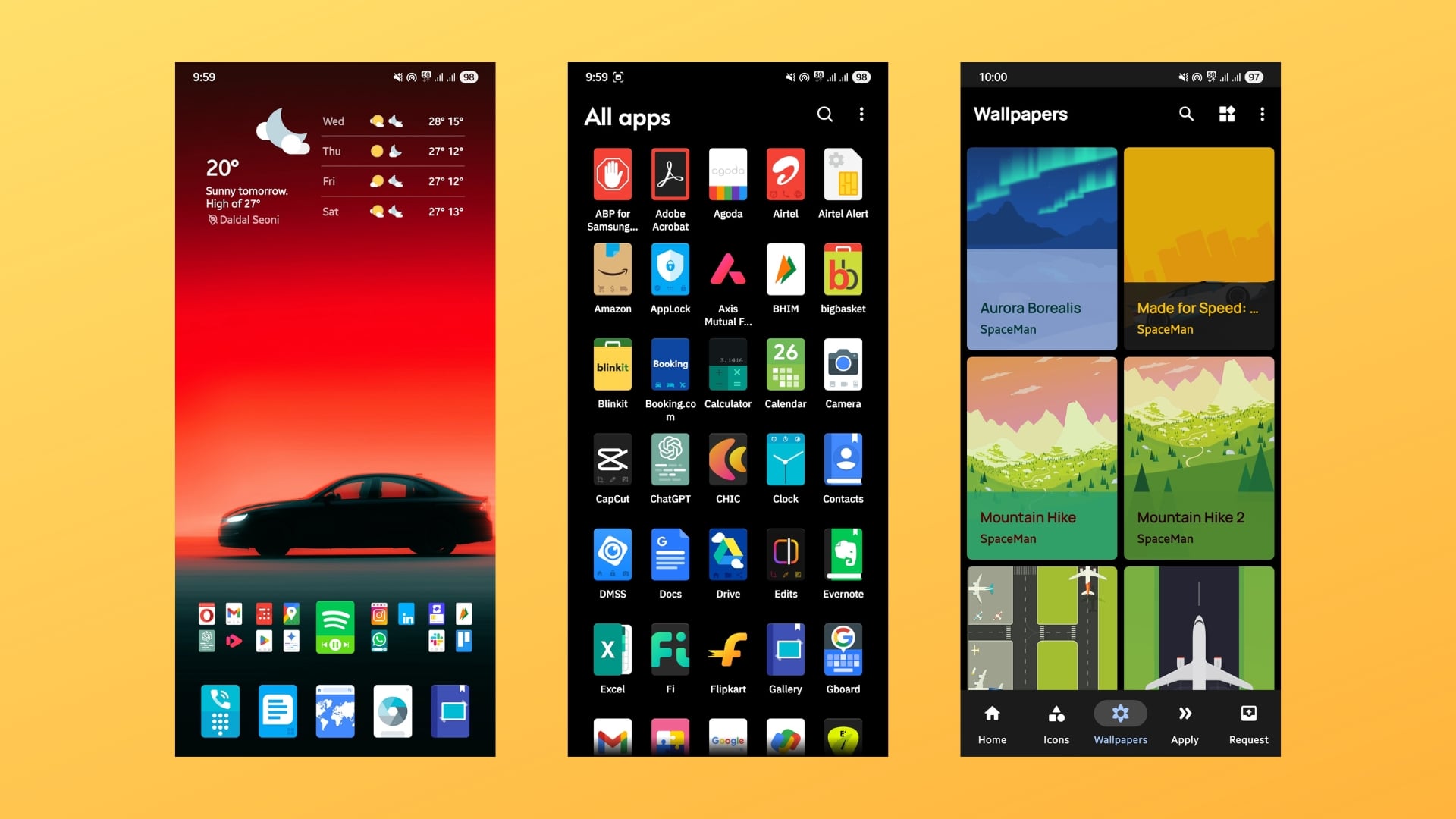
One of the best free icon packs for Android that I revert to with my customization is the Verticons icon pack. There is a premium version of the app, which gives you access to over 6,000 icons. But the free version is also good enough if you want to test the waters, as it gives you access to around 2,350 icons. What stands out is that most of the icon packs are either circular, squircle, or don’t have a background. Verticons, on the other hand, have vertical icons, like a playing card, and give your phone a unique look.
It supports all third-party launchers like Nova Launcher (alternatives), Lawnchair, Microsoft Launcher, Smart Launcher, etc., and even various first-party skins such as One UI, etc. I applied Verticons’ icon pack on my Galaxy S25 Ultra, and they look awesome. Aside from icons, you also get various high-quality wallpapers within the app. Bored with circular icon packs, try the Verticons icon pack and experience the change.
N-thing Icon Pack
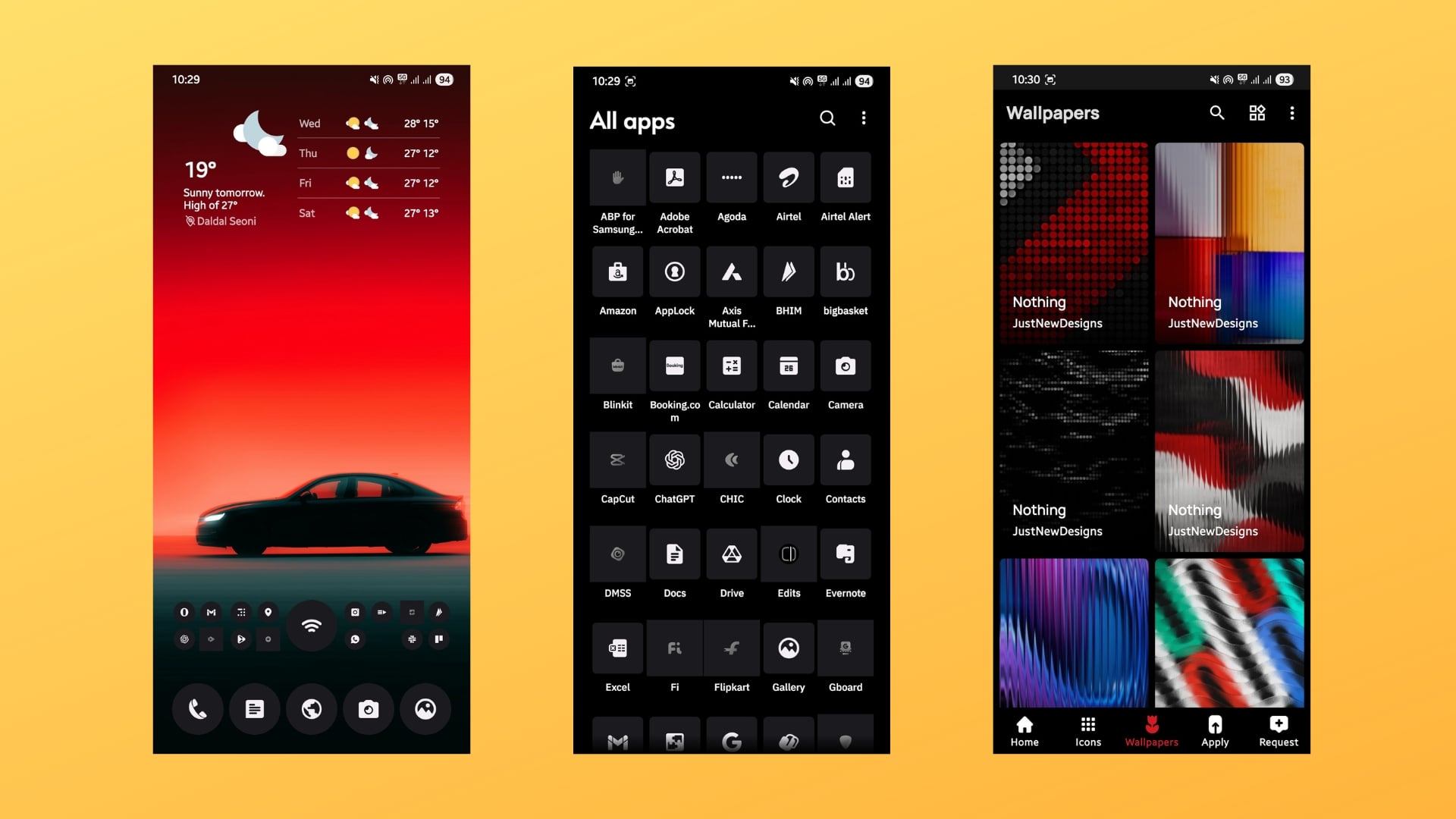
Nothing phone brand introduced a visual change in the appearance of the icon and UI design. The pixelated icons gave a new feel, and if you don’t have a Nothing phone, don’t worry, because the N-thing icon pack is here to save the day. It is one of the easiest ways to get the Nothing UI look on any Android phone. It is available for free, and you can get it from the Google Play Store. One thing to note here is that while none of the icons were missing for me (see screenshot), you might come across a few.
But the good thing is that this free icon pack for Android automatically masks unavailable icons. In total, the N-thing icon pack features over 1,700 icons. Aside from icons, this app also gives you access to over 100 wallpapers that are inspired by Nothing UI wallpapers. In addition to third-party app launchers, the N-thing Icon Pack also supports various first-party app launchers, including OxygenOS, One UI, Mi, and POCO launcher.
Circons: Circle Icon Pack
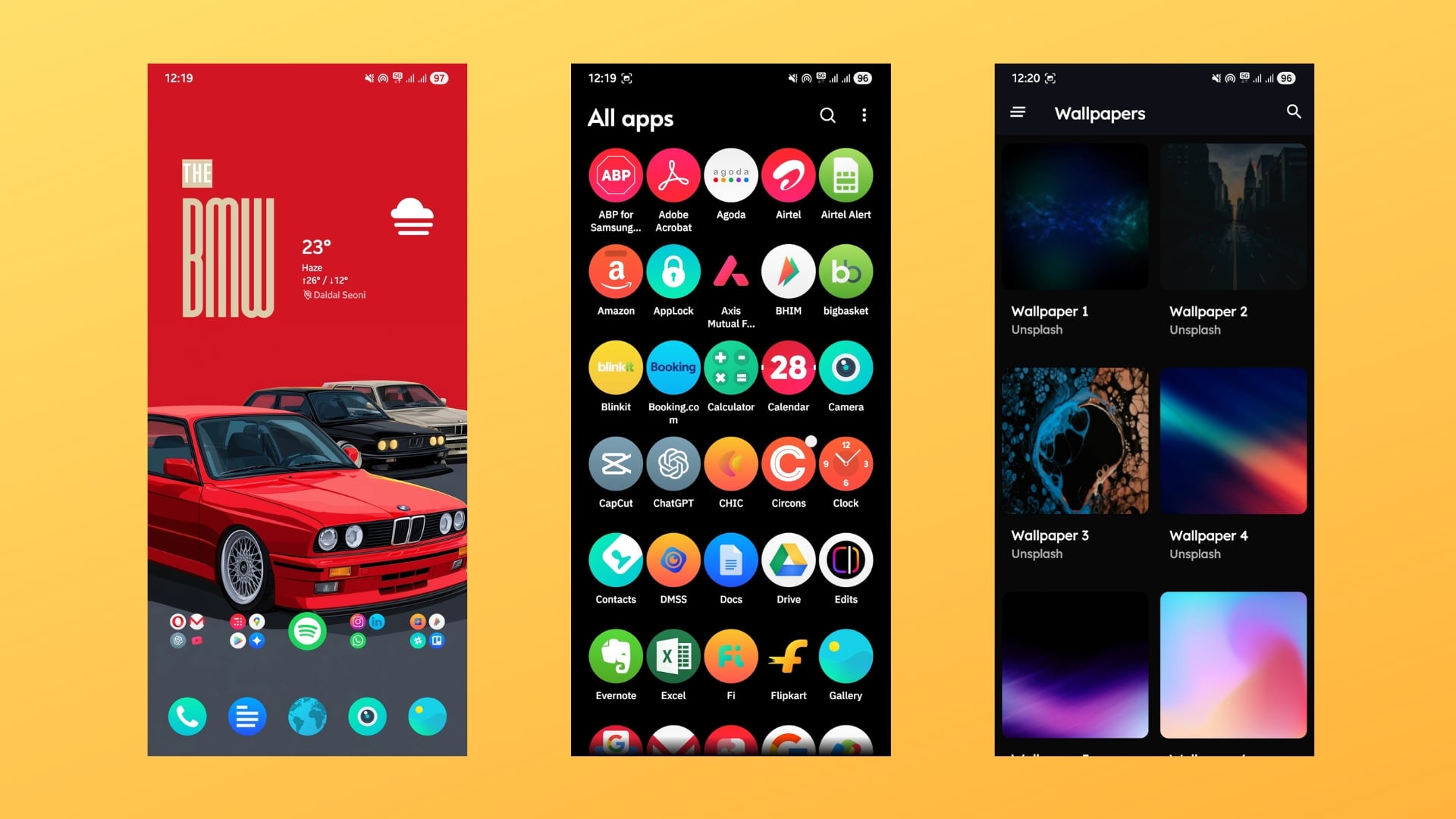
While there are different shapes of free icon packs for Android available on the Play Store, circular icons fit with every customization. And one of the best circular icon packs that I’ve been using for a bunch of my setups is the Circons. It contains circular icons with some modern gradients that make the icons pop. In total, this icon pack contains over 3200 icons, and you will find various versions of one icon inside for some apps. The Circons icon pack is popular, and they have 2,000 requests for new icons pending.
Apart from free icons, this icon pack also contains 10 wallpapers that are okay-ish, and 5 kwgt presets if you are into widget customization. It supports all popular launchers, including the Nova launcher, Action launcher, Niagara launcher, and Lawnchair. You can also use the icon pack with first-party launchers such as One UI via the Good Lock module.
Arcticons – Line Icon Pack
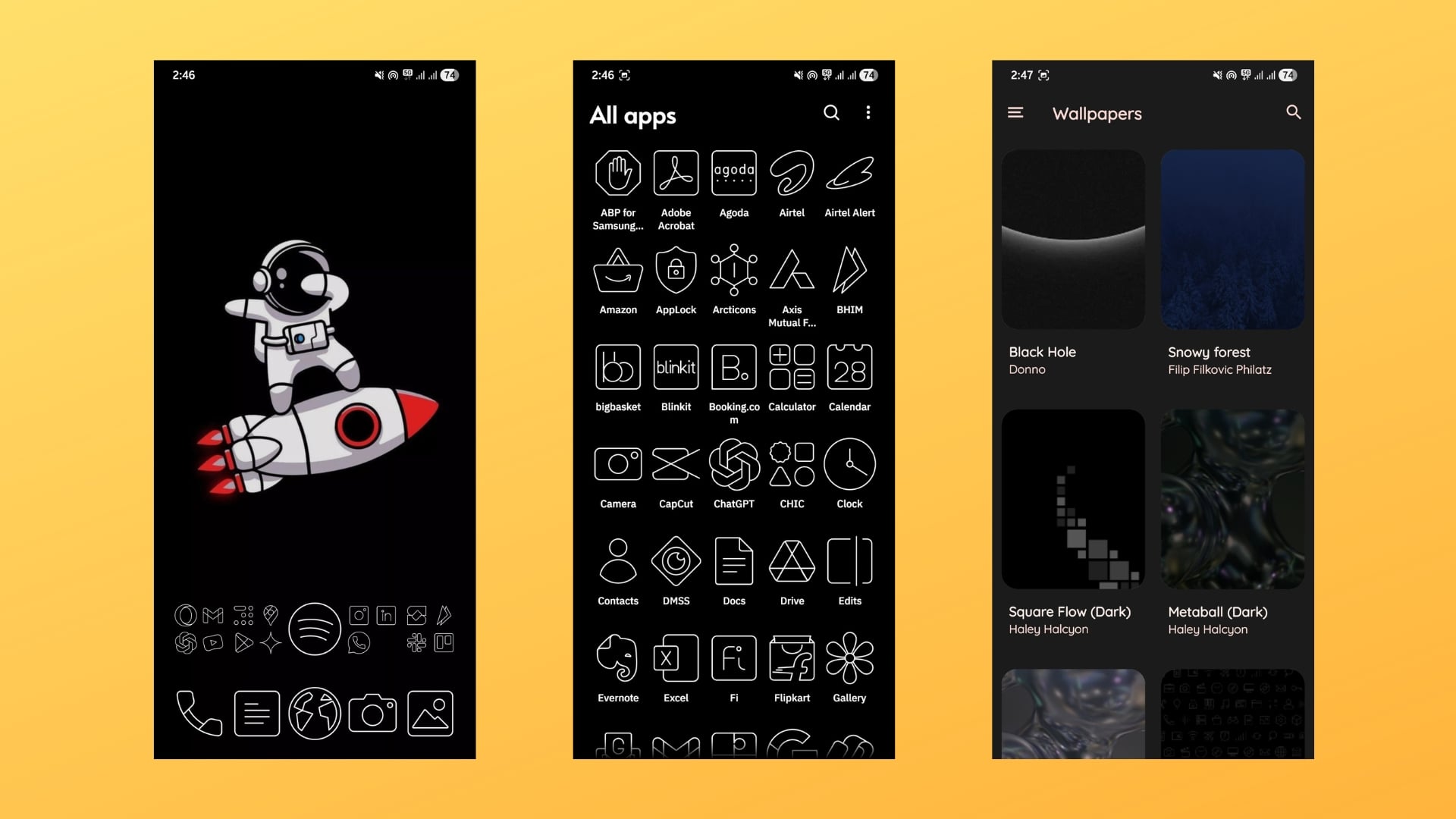
If you are a fan of keeping things minimal, like having an AMOLED wallpaper with a black background and no flashy colors, then you will like the Arcticons icon pack. It is a free icon pack for Android that has 10,000 line icons, which, according to the description, is one of the biggest collections of line-based icons. It is also my go-to black and white line icon pack for a black home screen setup. For me, the app had all the icons I needed, and in case there was a missing one, I could simply request it.
The Articons icon pack supports all types of launchers, including Action, ADW, Apex, Color OS, Lawnchair, Niagara, and many more. Since I use a Galaxy S25 Ultra, I used this free icon pack for Android with the Good Lock customization app. What I personally like about this icon pack is that while there are several line icon packs, the lines are balanced, and the icons are actually recognizable.
Pure Essence Black Icon Pack
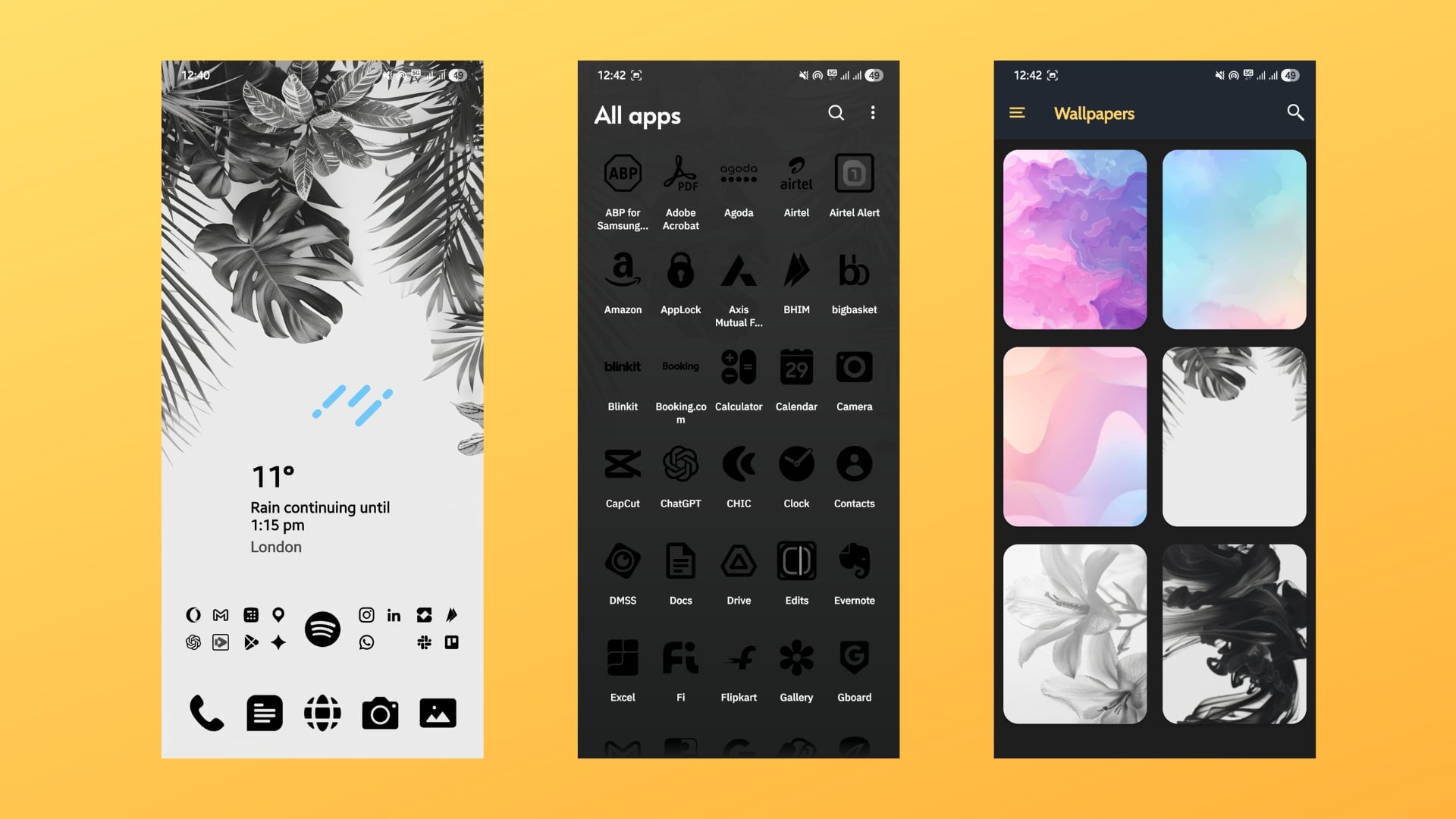
Want an icon pack that will fit well with a light home screen setup? Then the Pure Essence Black icon pack could be a good option. I recently came across this icon pack, as I was customizing a Pixel 10 for my friend, who wanted a light background. To make the icons pop, I thought of icons that should not have colors, basically black, and my search showed me this result. And after using this with my setup, I really liked the way it appeared, and everything seemed to have gelled well.
However, do note that I am talking about the free version, not the full/premium version of the Pure Essence Black icon pack. But the free version itself is fully loaded with over 5,000 icons, wallpapers, dynamic calendar support, icon masking, the ability to request unsupported icons, etc. With the premium version, you unlock 24,000+ icons and more. It supports all types of third-party launchers and even works with One UI, Realme UI, and more.
Download Pure Essence Black Icon Pack
Minma Icon Pack
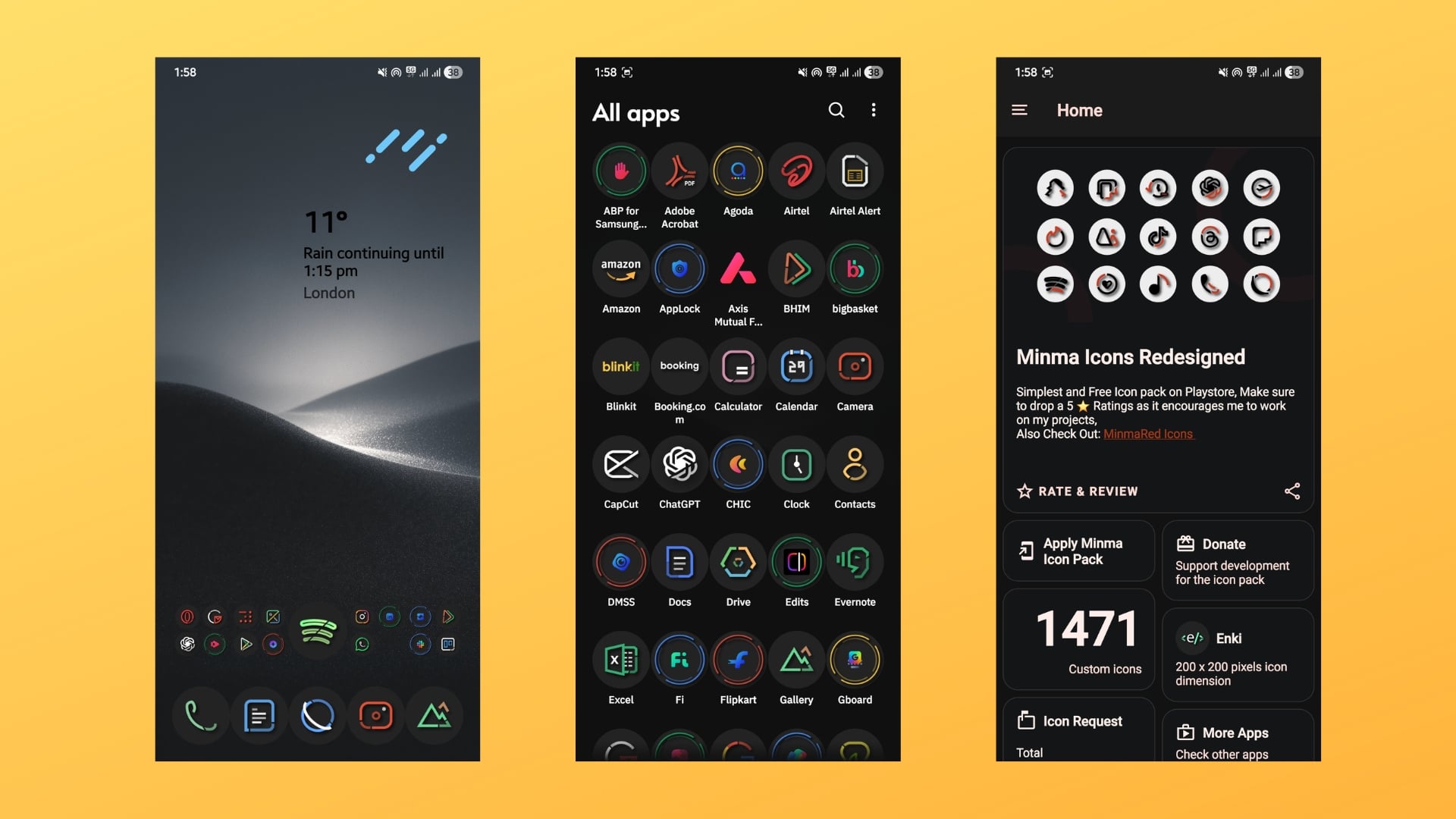
The Minma Icon Pack is for those who are looking free icon pack for their dark background. The icons in the Minma icon pack are inside a round, enclosed circle, with the outline of the icon being colorful. It makes the icons stand out and gives a minimal look to the setup. You may find some of the app icons missing, as it currently has over 1,400 icons, but the developer accepts the request and is expected to add new ones soon.
Also, for some apps, there are multiple alternate icons that you can use as per your home screen setup. It also offers an app masking feature that is good for unsupported apps. Basically, it tries to blend in the unsupported icons if that icon is unavailable. Just like all other icon packs in this list, the Minma icon pack also supports various third-party launchers and also works with One UI. Another thing is that it doesn’t come with cloud wallpapers.
kendi ikons
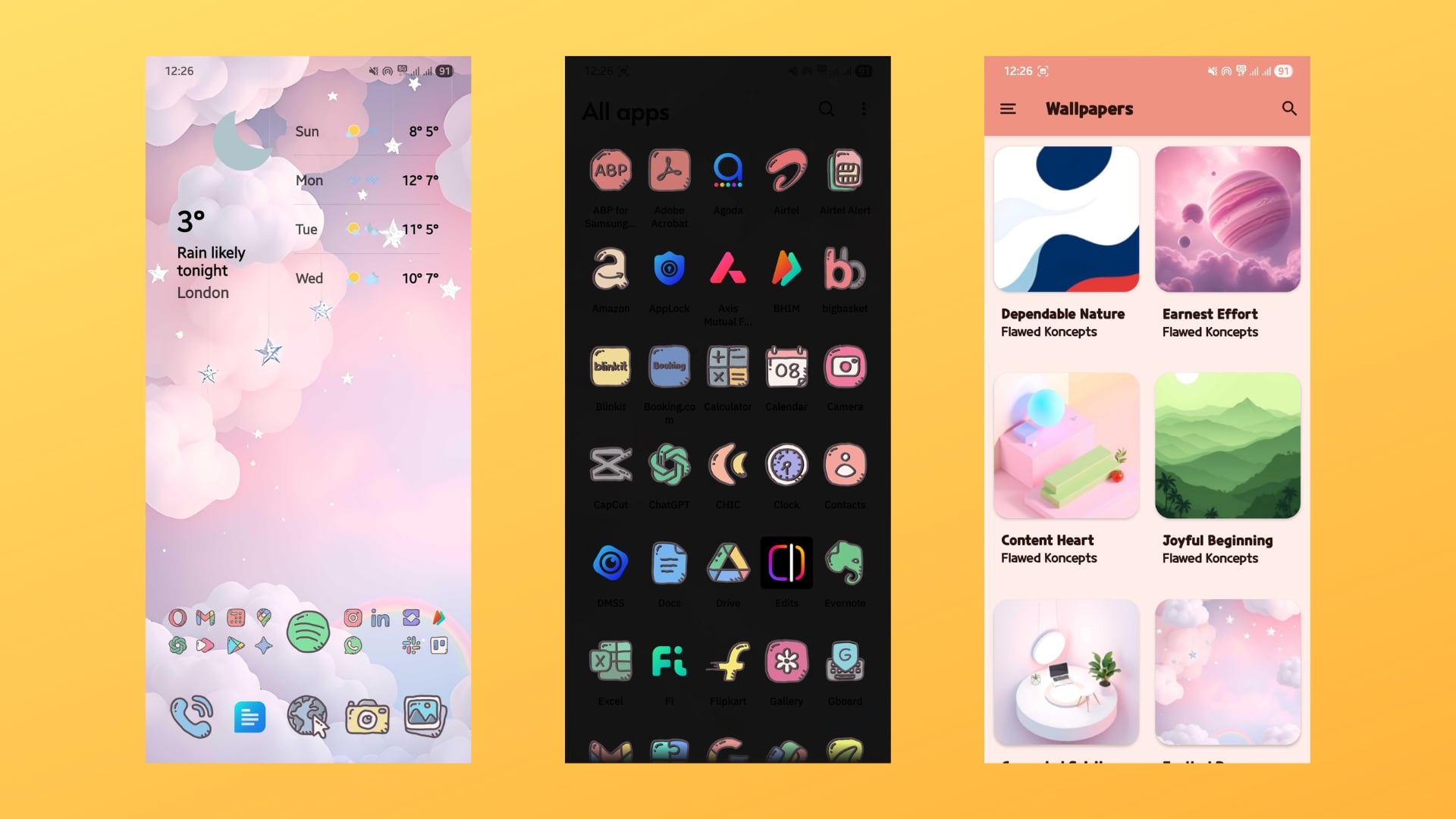
Bored with computer-generated perfect icons, then some hand-drawn icons might refresh your home screen. kendi ikons (yes, they are spelled that way), give you a set of minimal, hand drawn, and doodle-style icons. They are colorful and can fit any type of wallpaper, be it AMOLED, dark, light, or even colored ones. I used it for one of my minimal home screen setups, and it looked great. Though this free icon pack for Android doesn’t have that many downloads, those who have used this icon pack have rightfully given it 5 stars.
In my case, apart from a couple of icons, all icons were available. It has a vast library of over 3,100 icons and also features some cloud-based wallpapers that will get things started. It works with almost all third-party launchers, including Nova Launcher, Lawnchair, Lawnchair Legacy, Niagara, Pear Launcher, Stario, and crDroid Launcher, while some launchers may not support it according to the Play Store description.
Halo Icon Pack
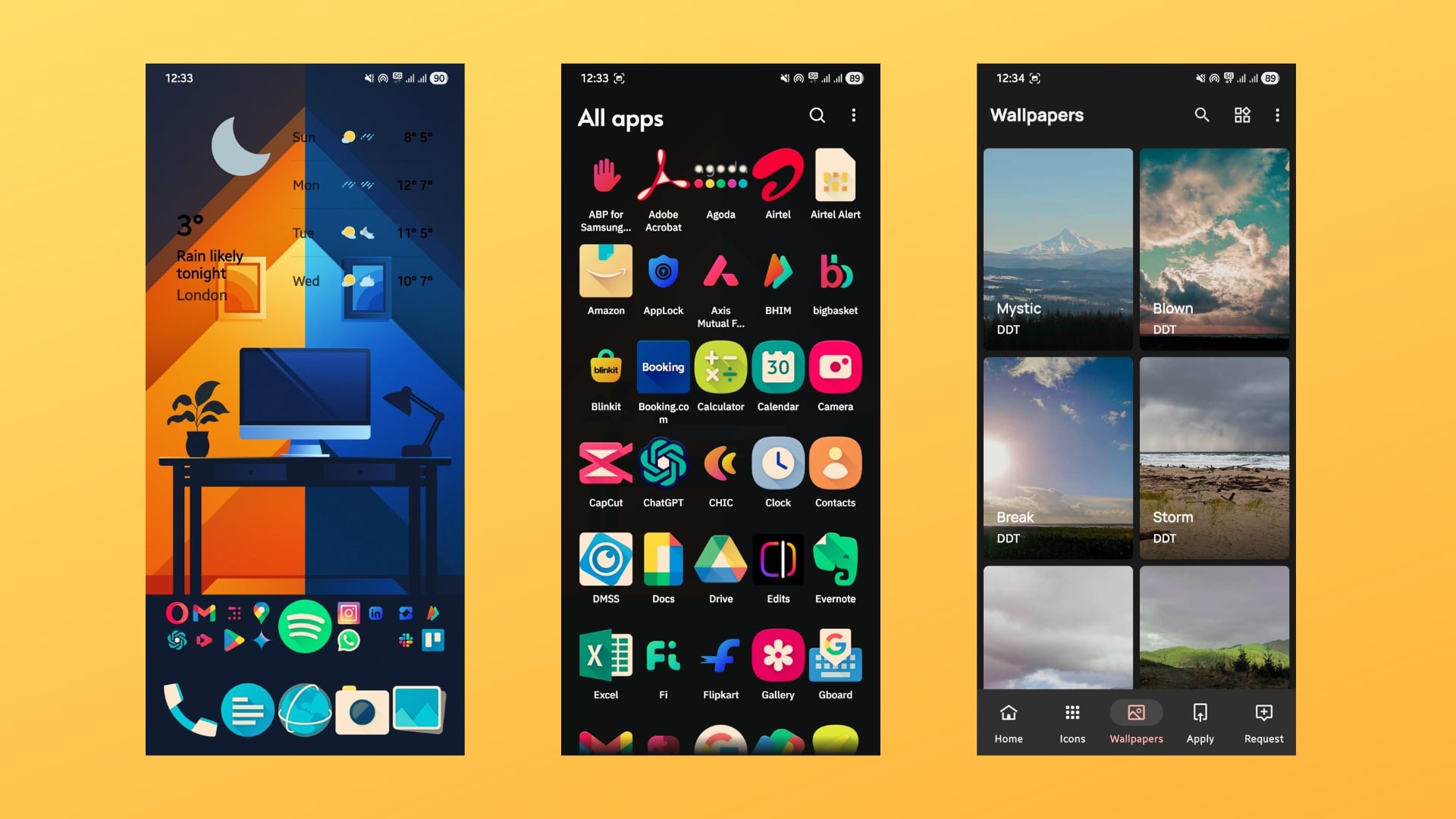
Last, but not least, we have the Halo icon pack. It features colorful HD icons that have different shapes. Overall, it gives a unique look to the home screen setup. If you don’t like different shapes for different apps, then you can switch to a different icon, as the Japes icon pack has multiple alternatives for a single app. It has over 6,500 icons, and unsupported ones can be requested via email. In my experience, they did respond to my request and introduced it in the next update.
App icons are available in categories, which makes it super easy to find and locate app icons. The best part is that the developers have also added custom-built-in matching custom widgets. It consists of over 400 matching wallpapers that match the wallpaper. The dynamic calendar support ensures that the icon matches the current date.